Your Jobsite Is Already Talking: Turn Videos and Texts Into Answers
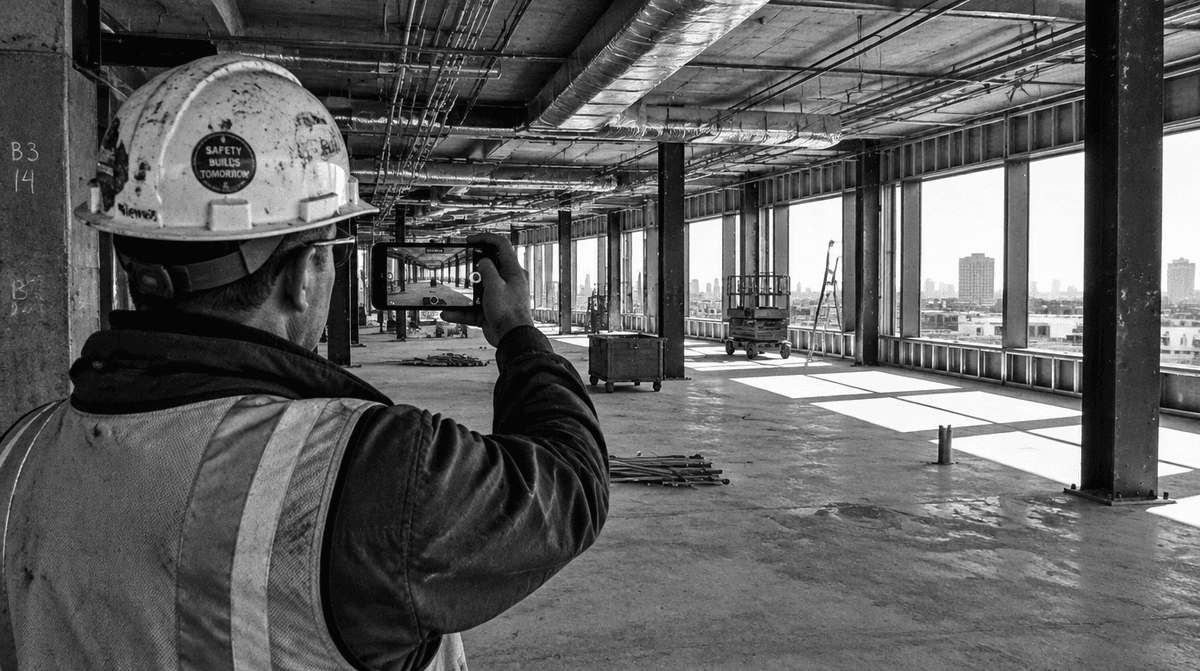
Your jobsite is already talking. Your super records a walkthrough. The plumber texts that he’s running late. The owner emails a question about finishes. The trouble is that all of it lands in different places, and you end up being the one who stitches it together at 9 PM.
On a small residential job, that means a missed issue turns into a callback. On a commercial job, it means the field knows first, the office hears later, and the owner hears last. Either way, the information existed. It just didn’t reach the right person in time.
The real problem isn’t a lack of information
Most contractors don’t need another app to fill out. You already generate plenty of project information every day:
- Walkthrough videos on your phone
- Text threads with subs and suppliers
- Email chains with clients, architects, and owners
- Meeting notes that live in someone’s notebook
The gap is turning that pile into decisions: what’s broken, what’s late, who needs to know, and what to do next. That’s the job BuildWize was built for. It takes what your jobsite is already producing and turns it into construction intelligence your whole team can share.
Walk the site and record like you always do
You don’t have to change how you walk a job. Film the walkthrough on your phone the way you already do. Every video is transcribed, timestamped, and turned into issues, client updates, and next steps you can share with a link.
On a commercial project, that changes the speed of the whole team. Your super walks level two and records. The issues are on the PM’s desk before they’re back in the trailer, not buried in a camera roll until Friday.
No drones, no special cameras, no extra hardware. If you have a smartphone, you have everything you need.
A schedule that sees the whole project
Schedules rarely fail all at once. They slip one small delay at a time, and nobody notices the knock-on effect until three trades are stacked up waiting.
Because BuildWize sees the full picture of your project, it manages the schedule before it slips:
- Push one date, see everything that moves. Steel pushed to Monday? You immediately see every activity downstream that shifts with it.
- Overdue work surfaces early. Late items get flagged before they turn into a delay.
- It watches what holds work up. A permit expiring before the work is done. An inspection nobody booked. These get caught while there’s still time to fix them.
When BuildWize spots something, it suggests a fix. You approve it in one tap. Nothing changes on your schedule without your say-so.
Update the schedule from a text message
If you can send a text, you can update your schedule. BuildWize works over iMessage and WhatsApp, so when a delivery slips, you text it in, BuildWize shows you the impact, and one reply updates the schedule.
No logging into a portal from the truck. No waiting until you’re back at a desk.
Ask it anything about your job
BuildWize Intelligence lets you ask questions about your project in plain language. The plumber is running late? Steel is five days behind? You get the blockers, the impact, and what to do next, based on everything BuildWize knows about the job.
| The question | What you get back |
|---|---|
| “The plumber is running late. What does that hit?” | The activities blocked, the schedule impact, and suggested next steps |
| “Steel is five days late. Now what?” | Downstream trades affected, new dates, and options to recover time |
One timeline for emails, meetings, and notes
Emails, meeting recordings, and notes all land on one project timeline. On commercial work, that includes the weekly OAC meeting: record it, and the decisions and action items, with owners attached, show up on the timeline. No more arguing about who agreed to what three weeks ago.
Know what needs attention before you leave the house
Every morning, a briefing tells you what needs attention today. You start the day already knowing which job needs you most, instead of finding out from a phone call at 10 AM.
For owners and clients, it also means no more waiting on the monthly report. A daily briefing and a shared walkthrough show real progress as it happens. That kind of visibility builds trust, and trust is what gets you the next job.
Built for crews of every size
The same idea works whether you run a three-person remodeling crew or a commercial project with a full field team:
| Residential crews | Commercial teams | |
|---|---|---|
| Site videos | Catch quality issues and send client updates | Issues reach the PM before the super is back in the trailer |
| Schedule changes | Know when a late sub affects the rest of the job | Push the steel and see every activity that moves |
| Meetings and email | Client emails and notes on one timeline | OAC decisions and action items with owners |
| Client visibility | Keep homeowners informed with a shareable link | Owners see daily progress, not a monthly report |
Less time chasing updates, more time building
If your team can send an email, text a message, or take a video, they already know how to use BuildWize. There’s no new workflow to learn and no software rollout to fight. The goal is simple: get back six hours or more every week that you’d otherwise spend chasing updates.
We built BuildWize so your jobsite’s information works for you instead of piling up on your phone. See how BuildWize works on your next job.